Tuesday, 30 October 2012


Smashing Magazine (Things  to think about designing an ipad app

Here I am getting ideas and tips for my iPad app. Now that I have a visual idea of my app, I need to think about how to make the interactive elements work. I want to keep it simple to use and clear at the same time.
  • Take A Goal-Oriented Approach To Simplify Functionality.
  • Leverage What You Know To Create A Fully Personalized Experience.
  • Think About The Place Of Use.
  • Consider Multi-User And Multi-Device Cases.
  • Don’t Do Crazy Navigation Unless It’s A Game Or One-Hit Wonder.
  • Provide A Home Page.
  • Beware Of Awkward Pop-Overs.
  • Avoid Gratuitous Splash Screens.
  • Use Gestures In Clever Ways, But Don’t Overdo It.
  • Make Clear What’s Touchable, And Make It BIG.
Stanford, J. (2012)


Stanford, J. (2012). Ten Things To Think About When Designing Your iPad App. Available: http://uxdesign.smashingmagazine.com/2012/01/31/ten-things-think-about-designing-ipad-app/. Last accessed 30th oct 2012.

Benefits of interactive narrative 

Here  I am looking for evidence to back up my report, I have started off my research by looking at different journals. I have started off placing the research on here then continued with it on the report.  everything I have researched after this has been referenced and placed within the submitted report.

"Storytelling, meant as the  process of creating narrative
structures or of engaging with them, is pervasive in many
aspects of children’s life. In early childhood (e.g., at
kindergarten or at home), storytelling is a means to support
children’s development, to help them express and assign
meaning to the world, to develop communication,
recognition, and recall skills, and to enforce their
relationships with peers and adults. From primary to high
school, storytelling activities are proposed to students in
order to improve their linguistic and literacy skills, and to
foster their ability of interpretation, analysis, and synthesis.
For disabled children, the storytelling paradigm is used in
different forms to support the development of a wide
spectrum of cognitive functions and skills. Theme parks
and museums often offer storytelling opportunities to
engage young visitors and make their visit more
educational and enjoyable."
(Garzotto 2010)

http://hoc.elet.polimi.it/idc/2010/assets/doc/Interactive_storytelling_Workshop_IDC2010.pdf


“anything you can show and touch can be a UI on this device. There are no standards and no expectations.” (neilson 2010)

Garzotto, F, Paolini, p, Sabiescu, A . (2010). Interactive Storytelling for Children. Social issues in interactive storytelling . 1 (1), p1-4.

Nielsen, J . (2010). iPad Usability: First Findings From User Testing .Available: http://www.useit.com/alertbox/ipad-1st-study.html . Last accessed 30th oct 2012.

Benefits of Multimedia Courseware

This section provides short descriptions of the key benefits of learning using interactive multimedia courseware. The list is meant to assist in helping you think about how the adoption of multimedia for training and education in your organisation could enhance the learning process and help you achieve measurable performance results. The following are common benefits in using multimedia courseware.

Improves Learning

Numerous studies over the years have shown that interactive multimedia learning takes less time, is enjoyed more and increases learning. In a review of numerous meta-analysis studies Najjar (1996:30) found that "learning was higher when information was presented via computer-based multimedia systems than traditional classroom lectures" (Hick 1997).


Interactive
Interactivity is mutual action between the learner, the learning system, and the learning material. Numerous studies have found that interactivity has a strong positive effect on learning (Bosco, 1986, Fletcher, 1989, 1990, Stanfford, 1990). For example, Bosco (1986) reviewed 75 learning studies and found that learners learn faster, and have better attitudes toward learning when using interactive multimedia (Hick 1997).

Flexible

Multimedia courseware on CD-ROM can be used at work on the desktop or at a learning centre, at home, while travelling, or to enhance facilitated management development programs. Multimedia courseware can also be used on networks, Intranets or the Internet. These distributed learning approaches allow for even more flexibility, but in the cases of Internets will involve much lower quality images and will preclude the use of video, at least in the near future. Multimedia courseware off-loads repetitive training tasks and frees facilitators to focus on company-specific, department-specific, or even team-specific issues (Hick 1997).

Modular
Each topic or section can stand alone, so managers or trainers can delve deeply into the topic areas they need to learn, and skip over the ones they don't. In many cases applications include the option to custom build the application for your specific use where you can choose modules, and even edit the content in some fields 
(Hick 1997.

Practical
It is capable of presenting true-to-life situations that learners face every day. Adults are very practical learners—they learn best when faced with real problems that have real consequences. Decision tree simulation, video simulations or simple animations allow learners to learn-by-viewing, learn-by-doing or learn-by-coaching. All are effective methods for developing practical skill and increasing information retention 
(Hick 1997).

Consistent

All learners learn the same principles and skills. Computer-based courseware typically forces instructional designers to better organise and structure learning materials, and this alone can result in learning advantages (Hick 1997).


Timely
Learners can turn to the program when situations arise on the job, or when they are faced with new or increased responsibilities. This is critical, since research has shown that learning is enhanced and better retained when the topic is relevant to current needs 
(Hick 1997).

Engaging
Interactive learning with live-action video, audio, graphics, feedback, expert advice, and questions and answers keep learners interested and reinforces skills. Because it is exciting, challenging, and fun to use, it encourages learners to return to the program again and again. Through continual practice, learning is absorbed and integrated into daily performance 
(Hick 1997).


Cost-effective
Multimedia courseware may have higher up-front development costs, but overall studies have shown that it is less expensive and more effective than traditional classroom learning only. There can also savings on expensive and time-consuming travel, lodging, facility rentals, the loss of productivity caused by sending learners away, and other expenses. The ability to practice new concepts in a risk-free environment improves learners' skills and ability. When using a built in course management system which collects and analyses learner delivery and performance data substantial administrative time savings result (Hick 1997).


Hick, S. (1997). BENEFITS OF INTERACTIVE MULTIMEDIA COURSEWARE.Available: http://http-server.carleton.ca/~shick/mypage/benifit.html. Last accessed 30th oct 2012.


http://http-server.carleton.ca/~shick/mypage/benifit.html

iPad App Talk With Stacy From Demi Books 

We had a talk at college which was pitched to us over the Internet. this was pitched by Stacy Williams who works at Demi Books. She talked to us about making iPad apps and her thoughts on this. She then went through the software 'Composer' Which is used to create an app on the iPad
  • Most apps are based on an original story because it it less risk.
  • Society of children's books (Presentation).
  • Dynabook (1968) Looks very similar to the ipad. 
  • 1994 Steve Jobs had vision on ipad.
  • International digital publishing forum (IDPF)
  • Book app = Interactive & Games
  • What makes a good e-book
  • Book in progress (Plural Animals) - Change for children to touch, engage and learn new words.
  • She hates alice in wonderland e-book - It has pointless animations.
  • Astrojammies is her e-book - Good bedtime book but can be too stimulating for bed time. The actual book would be better for bedtime. 
  • iPad switches kids into video game mode.
  • Add subtle animations to my app - eg. turn lights off, draw the curtains
  • We had a look a the jack and the bean stalk app in composer.
  • follow the actions of the story with animations.
  • allow the animation to play again but without music as music can get annoying after a few plays.
  • Composer- Free iPad app to create ipad e-book
  • $99 set up Demibooks account.
  • getsatisfaction.com/demibooks
  • She found user testing important but most clients don't pay enough to bother with.
(Williams 2012)


Williams, S (October, 2012) ‘Demi books talk’ Speech presented at Sussex Downs College, Brighton

Thursday, 25 October 2012

Which Font to use for my iPad ebook

After researching at the beginning of this project, I found out that San serif fonts are easier for children to read on a screen. It is now time for me to decide which font i will use.

I have decided to go with a type face called open dyslexic. My target audience will not yet be able to read or will be in the process of learning. They will need everything possible to help make things easier for them. I found reading the text below to be far easier than many other fonts available. My eyes stayed focused on the works and it is very clear to read each letter. For this reason i have decided to use this font for my iPad story. Even if a child is not dyslexic it will still make the whole learning to read process a lot easier for them.

"OpenDyslexic is a new open sourced font created to increase readability for readers with dyslexia. The typeface includes regular, bold, italic and bold-italic styles. It is being updated continually and improved based on input from dyslexic users. There are no restrictions on using OpenDyslexic outside of attribution.Your brain can sometimes do funny things to letters.OpenDyslexic tries to help prevent some of these things from happening. Letters have heavy weighted bottoms to add a kind of "gravity" to each letter,helping to keep your brain from rotating them around in ways that can make them look like other letters.Consistently weighted bottoms can also help reinforce the line of text. The unique shapes of each letter can help prevent flipping and swapping.OpenDyslexic also takes a different approach to italic styles. It is generally recommended that italics be avoided in reading material for dyslexia. However,instead of taking the normal approach of "slant x% for italic," OpenDyslexic's italic style has been crafted to allow for its use for emphasis while maintaining readability."

Saturday, 20 October 2012


Pro's and cons between paper book and apps

Here I am looking at the Difference between a traditional book and app. I am using this as research to see the benefits from having an app. 


The "Classic" Paper Book.

Paper books offer multiple advantages:
  • They're easily obtainable (Bookstores are everywhere).
  • They're easily portable.
  • They don't normally cause significant eye-strain.
  • They're cheap.
Okay, that much was obvious. Specifically, some types of content paper books are better for are:
  • Textbooks (or any books which are generally large-format).
  • Picture / Photo books.
Another factor to bear in mind is that paper books don't need power to function. They can be read anywhere with sufficient light, and are perfect travelling companions for exactly this reason.
The obvious cons are:
  • Paper books are bulky and heavy. Carrying more than 2-3 around can become a chore.
  • You need a light source to read them - another thing that you'll probably carry around.
  • If you make notes in them, those notes are there to stay (Yes, even pencil. You can always see the imprints, even if you erase every last shred of graphite).

The app

eBooks offer the following obvious advantages (assuming you have an ebook reader):
  • They're easily readable. Most readers offer zoom functions, letter resizing, and so forth.
  • They're easily portable. You can carry multiple books on one device.
  • They're much more environmentally friendly. You don't have to kill a few trees for each book, and let's not even talk about the ink. Recycling only goes so far.
  • Note-taking is much more powerful, and the notes you write can be found and referenced quickly and easily. And they don't have to be permanent.
  • Lighting conditions essentially become meaningless. Many readers incorporate display lighting allowing you to read whenever and whereever you like.
eBooks are useless without a reader. There are a few on the market, such as Amazon's Kindle, Jinke's Hanlin reader series, Sony's eReader series, and a few others. These are mentioned because they incorporate a technology called e-ink, which resembles paper very closely, and eliminates most eye-strain issues.
Some types of books especially suited for a reader are:
  • Novels or non-fiction books without many pictures.
  • Web-sites with html links and cross references.
The disadvantages of ebooks generally stem from the hardware you're reading them on. If it's a computer, you've got the normal computer problems which detract from your reading pleasure:
  • Eye strain and RSI. Long periods spent in front of a computer are healthy for nobody.
  • Power. Your average laptop has 4-6 hours of battery life.
  • Portability. Why lug a laptop around if you can simply carry a book?
The cons of the reader devices are a little more subtle:
  • You still have battery life to worry about.
  • Nasty software bugs in the reader can cause it to freeze up.
  • They're not very robust. If you spill <insert beverage of choice> on them, chances are that's the end of your reader. Not to mention scratches, dropping them, and so on.
In general, ebooks suffer from other cons as well:
  • They're not readily available, and format wars are making the decision to buy a reader very difficult. Will you go for the Amazon one, and buy books (only) there? Or the Sony?
  • The pricing model hasn't been worked out yet, causing some major discrepancies.
Coeus. (2012). Ebooks Vs. Paper Books: The Pros and Cons. Available: http://coeus.hubpages.com/hub/Ebooks-Versus-Paper-Books-The-Pros-and-Cons. Last accessed 20th oct 2012.

Monday, 15 October 2012

Illustration with improvements 

New version


After looking at different styles of illustrations I realised the image needed more detail. I made the most of zooming right into the image so I could concentrate on the little bits of detail. once zoomed out, these subtle changes made all the difference. I also took off the heavy black edges and replaced them with subtle colours.  

First draft


This was my first attempt at illustrating the artwork for my storyboard. although I was happy with mu first attempt, it did not look quite right. all the lines are too straight and everything has a gradient which looks to digital. 


Clear Left Talk

Here are my notes from the clear left talk which was pitched to us in Brighton. After my notes is an example of a user test which Ben went through with us as a group.

Speaker- Ben

·         Don’t make people click on stuff
·         Don’t make people think
·         Inventing all principle, you never know what might be the next big thing
·         Treat users fairly
·         Clear left focus on good design (front end only), they leave the heavy backend stuff to other companies to finish off.
·         Empathy map – see, think & feel, hear, say & do
·         Spend time on paper prototypes. This saves time and money in the long run
·         Silver back software very handy to film user tests as evidence for usability issues (windows equivalent is BB Flashback)
·         Responsive website – works on all devices so no need to create different versions for different size screens
·         Clients often think of features – boil it down to simplify to user experience
·         Information architecture
·         Find out what the best story apps are
·         Make everything your best work
·         Don’t be afraid to spend money
·         http://alpha.gov.uk/
·         Fitt’s law was used to help improve usability on a MacBook


User testing

·         8 people user test can solve a problem – try and mix up the age groups
·         Always do user tests, approach people in cafes, post adverts for volunteers or just ask friends and family.
·         Flow charts
·         Wire frames
·         Usability testing
·         Doesn’t like focus groups bigger than 1 on 1
·         Plan the user test - make a list of tasks for the user to try and find on the website (try not no hint words that might give away the navigation process)
·         Give them a leading question
·         Observe each other doing user tests


Recommended People

·         Christopher Nolan – Inception (architecture design)
·         Jared spool
·         Jacob nelson


Recommended Books

·         Steve Krug – Don't Make Me Think!: A Common Sense Approach to Web Usability

·         Patterns of Software: Tales from the Software Community

·         101 Things I Learned in Architecture School

·         design with intent
·         the design of everyday things
·         undercover user experience design
·         universal principles of design


Ice Breaker Game

·         Chat Pack

Ben (October, 2012)

User test


Ben got us all as a group to write down a couple of words each onto post-it notes. These words word  be things that we would expect to find on the UCAS website. The post-it notes were then placed on the wall and ordered into category's of search order. 

I was then selected to use the UCAS website to try and find the BA Digital Media course. this was recorded   so my mouse movements and typing were tracked, it also recorded my face at the same time. 

During this process we discovered how difficult the UCAS website was to use. I really had to think to find what I was looking for. Because this process was recorded it could be used as evidence  to show UCAS how bad their site is and that it needs to be improved. 


Ben (October, 2012) ‘User Experience’ Speech presented at Clear left, Brighton
                                                                                                    

Thursday, 11 October 2012


Looking at different illustrator designs

This is my first attempt at my design using illustrator. I am pleased with the outcome but think it needs improving still. It seems to be missing something. I will look at other images from similar styles to get inspiration to come up with my own style.   


All of the designs  below have a different style to one another. the thing I have noticed on all of them which i don't have is detail. Event the simplest of detail helps make the image come to life. I need to zoom into my image and add more detail to make it more realistic. Also the edges are too straight on my image, nothing would look like this in real life. 


This Image has very bright colours. This makes it appeal to children.They have used shading on the images which helps add a depth of field. 


This image is very detailed making it look more life like than the image above. this isnt the type of style I would go for but it helps to look at different styles. 


This image is very scruffy. This has made me realise that my first draft is far too neat. I need to make my edges look more rounded and take off all the straight edges.  


This image uses pastel colours giving it a very traditional look and feel. I dont think this would make the most off the high res display on the iPad. My app needs to be bright too show off the high res colours on the ipad.


I have noticed this image does not have heavy outlines. this is one thing i need to change on my image. 


Dairy Cow In Summer Landscape by benchyb - Stock Vector
The grass in this image as subtle detail. the lines help make the grass look more realistic giving it the feel of a freshly mowed field.  


This image shows detail on the tree and grass. this helps separate each part of the image. The path is not straight, it has a curve to it which is more realistic. 


This image has shading on the windows and doors. It helps make it look less still. 


The Simpsons
This is a good image to look at because everyone likes the Simpsons. the drawings are simple which  little bits of detail. Rich colours are used.


This is a very popular game for mobile phones. I like the use of rich colours and gradients . the main characters have a black outline then the background is more subtle. 


Thursday, 4 October 2012


WHERE GOOD IDEAS COME FROM by Steven Johnson

This was shown to us during the lesson. It has some good inspiration to generate ideas, This is defiantly worth watching. The drawing  keeps you interested as he is talking through the video.


iPad usability guidelines Text in yellow background is my writting.


"Think twice before hiding the status bar if your app is not a game or full-screen media-viewing app. bar, you should understand the ramifications of this design decision. Permanently hiding the status bar means that users must quit your app to find out, for example, whether they need to recharge their device."
"Note that most iPad apps do not need to hide the status bar to gain extra space, because the status bar occupies such a small fraction of the screen. On iPad, the subtle appearance of the status bar does not compete with your app for the user’s attention. The small size of the status bar, combined with the slightly rounded corners of the app’s upper bar, make the status bar seem like part of the device background."
apple. (2012). iOS UI Element Usage Guidelines. Available: http://developer.apple.com/library/ios/#documentation/userexperience/conceptual/mobilehig/UIElementGuidelines/UIElementGuidelines.html. Last accessed 4th oct 2012.

http://developer.apple.com/library/ios/#documentation/userexperience/conceptual/mobilehig/UIElementGuidelines/UIElementGuidelines.html


Most younger children  are not going to be bothered about looking at the time or the battery status of the device. In some cases it may worry the child if they see that they don't have much battery left. for this reason I will keep the status bar hidden away during app play. 

Width of finger space minimum 10 x 10 mm. any smaller and it will be to tricky to select interactive elements. Because my app is aimed at young children the buttons need to be big and easy to use. 

Use a short title when creating an icon for the app. There is only a small amount of space in which the text will fit into. 

Switch
switch presents two mutually exclusive choices or states (used in table views only).
image: ../Art/switch_on.jpg
image: ../Art/switch_off.jpg
apple. (2012). iOS UI Element Usage Guidelines. Available: http://developer.apple.com/library/ios/#documentation/userexperience/conceptual/mobilehig/UIElementGuidelines/UIElementGuidelines.html. Last accessed 4th oct 2012.

http://developer.apple.com/library/ios/#documentation/userexperience/conceptual/mobilehig/UIElementGuidelines/UIElementGuidelines.html


This style switch can be used for my settings menu. It will give the user the option to turn on/off things such a sound, navigation and subtitles.
Create different sizes of your app icon for different devices. If you’re creating a universal app, you need to supply app icons in all four sizes.
For iPhone and iPod touch both of these sizes are required:
  • 57 x 57 pixels
  • 114 x 114 pixels (high resolution)
For iPad, both of these sizes are required:
  • 72 x 72 pixels
  • 144 x 144 (high resolution)
When iOS displays your app icon on the Home screen of a device, it automatically adds the following visual effects:
  • Rounded corners
  • Drop shadow
  • Reflective shine (unless you prevent the shine effect)
For example, a simple 57 x 57 pixel iPhone app icon might look like this:
image: ../Art/star.jpg
When it’s displayed on an iPhone Home screen, iOS adds rounded corners, a drop shadow, and a reflected shine. So the same app icon would look like this:
image: ../Art/star_button.jpg
apple. (2012). iOS UI Element Usage Guidelines. Available: http://developer.apple.com/library/ios/#documentation/userexperience/conceptual/mobilehig/UIElementGuidelines/UIElementGuidelines.html. Last accessed 4th oct 2012.

http://developer.apple.com/library/ios/#documentation/userexperience/conceptual/mobilehig/UIElementGuidelines/UIElementGuidelines.html

Wednesday, 3 October 2012

App Testing On iPad

I looked through a range of ebooks using the iPads at college. Here i have included images of the apps followed by the write up from my user test. I did this in my sketch book so I have scanned the pages into here. 

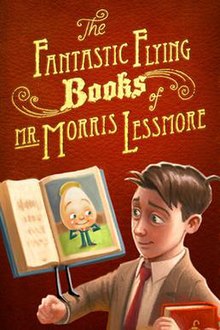
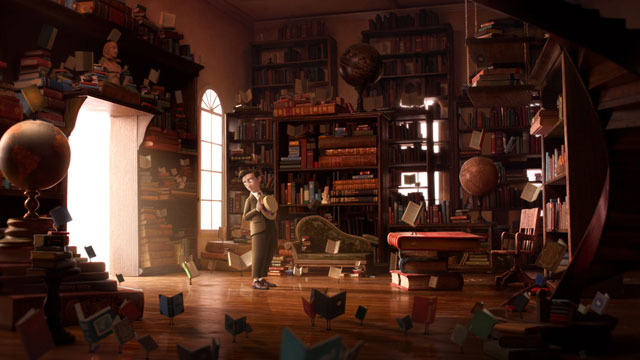
  • The fantastic flying books of mr morris lessmore


  • The heart and the bottle
    
  • Pedlar lady
    
  • Food fight
    
  • Astro jammies
    
  • The lorax
    image
  • Collapsus
    
  • Hotel submarine


Tuesday, 2 October 2012

Related Videos found on you tube 

There doesnt seem to be an app for any of the books from Julia Donaldson. All I could find is an audio book in iTunes or little videos which people had uploaded onto you-tube.

The are using the original books whilst a narrator reads them out. I like the fact that the narrator is reading them out. This could be added to my app to improve user experience. 


A Squash And A Squeeze (Board Book)
'A Squash and a Squeeze' is a rhyming fable that tells of a little old lady who thinks her home is too small. A wise man tells her to take in a succession of animals so that it really is a squash in the house!

Written by:
Published by:
Year:
 2009
ISBN:
 978 0230742154
Age groups:
 0-4, 5-8
Categories:
 Picture book
Languages:
 English
Themes:
 Animals, Folklore/Myths/Fairy Tales, Rhyming


Monday, 1 October 2012

Here I am looking at how to wire frame correctly 


Wireframes are simple block diagrams that show the placement of elements in a user interface and demonstrate the intended layout and functionality of a solution. They are typically free from graphic design features like colors, typography or actual images and try to answer the following questions instead:(Wulf 2012)
  • What elements will be displayed in the UI?
  • How will the elements be organized?
  • How will the interface work?
  • How does the user interact with the application / website?
What differentiates wireframes from other UI design tools, such as screen mockups, is their intentional lack of detail. While screen mockups simulate the look and feel of a user interface almost like a screenshot, wireframes help focus the conversation on the conceptual questions that should be addressed first.(Wulf 2012)

How to Create Wireframes

To produce a wireframe, you don’t necessarily need any software. Personally, I like kick-starting the creative process by drawing rough sketches on paper. I rapidly scribble different layout variations, pit them against each other, and throw away the sketches that don’t work. Instead of a sharpened pencil or a fine-tipped pen, I usually do my first wireframe sketches with a Sharpie marker. Its thickness forces me to stick to the really important building blocks of user interface and keep out minor, less relevant details.(Wulf 2012)

After getting a basic idea of how to structure the interface, I then refine my wireframes on screen. Compared to the paper-based approach, using a wireframing software tool has several advantages:
  • It makes it quick and painless to reorganize existing wireframes and iterate on them.
  • It provides templates for typical UI elements, such as buttons, grids, and drop-down menus.
  • Digital wireframes can be easily shared with others in order to work collaboratively and maintain consistency across the team.
  • Many wireframing tools include features for turning wireframes into interactive prototypes.(Wulf 2012)
My wireframe tool of choice is Microsoft PowerPoint. This may sound surprising, considering there are numerous tools specifically dedicated to creating wireframes. However, I think using PowerPoint has several advantages:
  • By its nature, PowerPoint is presentation software. This makes it a great tool for presenting the navigation flow and creating clickable prototypes.
  • Using PowerPoint encourages business users and other nontechnical project stakeholders to participate in the design process because they can work in an environment with which they are already familiar.
  • It is possible to embed PowerPoint slides into Word documents, while keeping them fully editable. This is a small, but useful feature that comes in handy when documenting the requirements or writing other specs.(Wulf 2012)

However, one area where PowerPoint falls short is its lack of ready-to-use wireframe elements and icons. To fill this gap, my company and I have decided to develop PowerMockup, a wireframing add-on for PowerPoint. PowerMockup integrates itself into the PowerPoint window and provides a library of approximately 200 UI elements and icons that can be dragged and dropped onto a slide. One particularly useful feature of PowerMockup is the ability to add custom items to the library and exchange them with other team members.(Wulf 2012)

I think PowerPoint and PowerMockup make quite a good team for creating wireframes. However, wireframing is not about tools; it is about exploring ideas and encouraging communication. That means you should always use the tool with which you are most comfortable and that does the best job.(Wulf 2012)

Wulf, A. (2012). Wireframes: A Great Way to Start Development Projects. Available: http://www.infoq.com/articles/wireframes-start-development-projects. Last accessed 1st oct 2012.

http://www.infoq.com/articles/wireframes-start-development-projects